
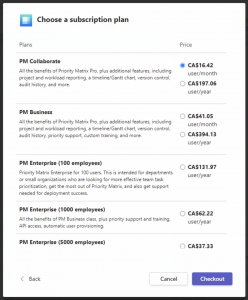
When purchasing Priority Matrix through Microsoft’s subscription system, the final and crucial step is activating your Priority Matrix account during checkout. This step is what notifies our system about your new subscription – until this activation is completed, only Microsoft knows about your purchase.
Important: Complete the Activation Step
During checkout, you’ll reach an activation screen where you connect your Priority Matrix account to your Microsoft subscription. This step is essential – without it, your subscription won’t be fully activated.
Common Situations
Sometimes there’s a disconnect between who purchases the subscription and who needs to use it. IT departments might hesitate to complete the provisioning step if they’re purchasing on behalf of another department. Don’t worry – we can help resolve any account linking issues on our side, so feel free to complete the activation step.
If You Missed the Activation Step
If you’ve already completed the purchase without the activation step, you can still activate through the Microsoft Admin Center:
- Go to admin.microsoft.com
- Navigate to Billing → Your products
- Find Priority Matrix
- Click “Assign licenses” to complete the activation
Need Help?
If you encounter any issues during activation or need assistance with account linking, please contact us at https://sync.appfluence.com/accounts/contact
Don’t worry about your trial data – it will remain safe and accessible once your subscription is properly activated.