
In Priority Matrix, the built-in chat system enhances team collaboration by providing context-specific discussions tied directly to tasks or items. This focused approach streamlines communication, ensuring that discussions remain relevant and on-topic, compared to broader platforms like Slack or Microsoft Teams.
Editing Recent Comments
As of a few days ago, Priority Matrix allows you to edit comments made within the last 30 minutes. Here’s how you can take advantage of this functionality:
Edit with Keyboard Shortcut:
- To quickly edit your last comment, simply press the
UParrow key on your keyboard. This will immediately allow you to modify the most recent comment you’ve posted.
Edit with Mouse:
- Locate the comment you wish to edit. It has to be a recent one.
- Hover your mouse over the comment. You’ll notice a pencil icon appear on the right side (as shown in the image provided).
- Click on the pencil icon to activate the edit mode for that particular comment.
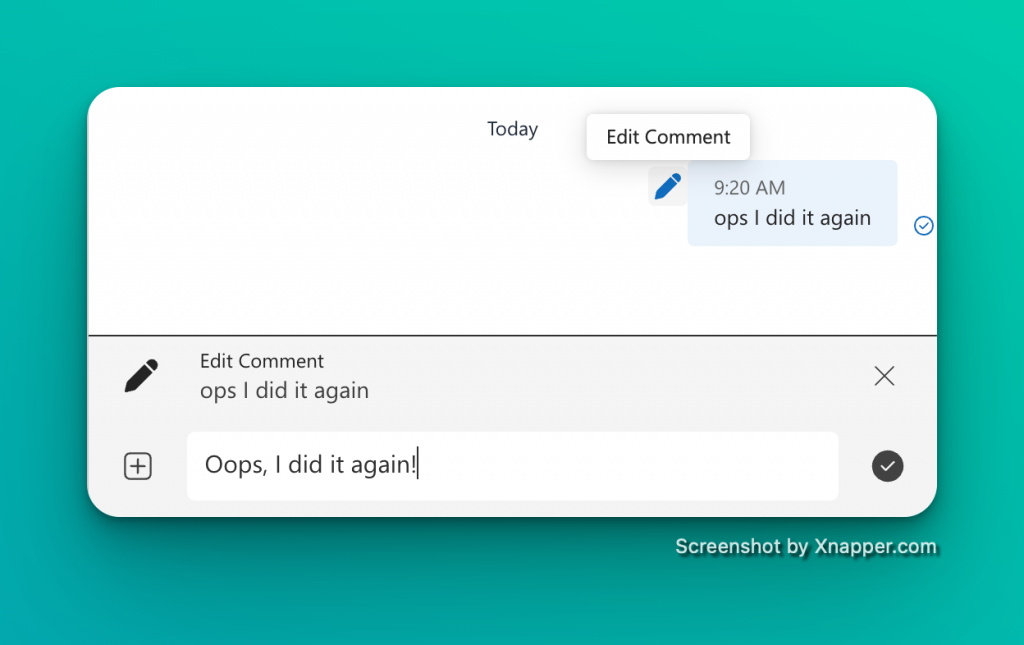
Visual Tooltip for Original Comments
After editing a comment, the original text is not lost. If you need to reference what was originally stated:
- Hover over the edited comment.
- A tooltip will appear, showing the original text (as depicted in the image).
This feature ensures transparency in communication and allows team members to see the evolution of a discussion.
Why Use This Feature?
- Clarity: Make clarifications or corrections to your comments without losing the original context.
- Efficiency: Quickly adjust your communication as tasks evolve.
- Accountability: Maintain a record of the conversation’s progression for future reference.
We hope this new feature enhances your team’s communication within Priority Matrix. For further assistance, or to provide feedback, please reach out to our support team.